How to setup CODA to work with WebDNA?
This page will show graphically how to setup CODA as a WebDNA partner :-)
numero = 166interpreted = N
texte = WebDNA and CODA are perfect partners: with WebDNA running on your Mac OSX, apache will look for your sites inside /Library/WebServer/Documents/ This is the most convenient place to keep all your websites. Let's imagine a site "WSC_2009" (which is this one, actually...) First of all, CODA must understand the .dna suffix:
 | ||
 | ||
 | ||
 | ||
 | ||
 | ||
 | ||
This is the most convenient place to keep all your websites.
Let's imagine a site "WSC_2009" (which is this one, actually...)
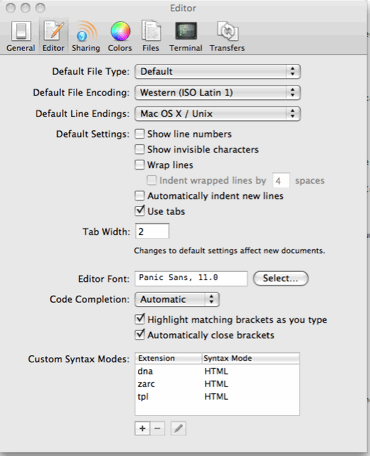
First of all, CODA must understand the .dna suffix:
| ||
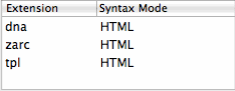
note the "dna" extension:
| ||
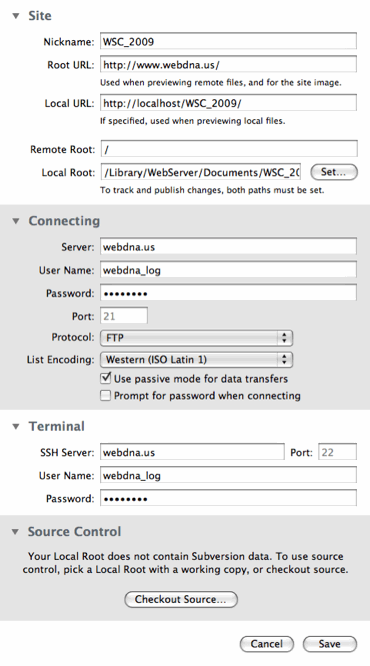
You can now setup your site: the complete path will be /Library/WebServer/Documents/WSC_2009/
| ||
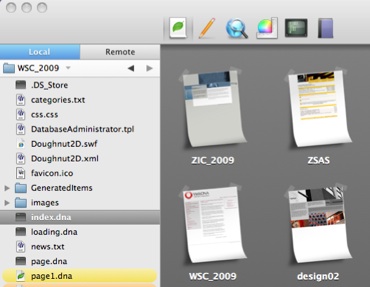
Once CODA found it, it should appear on your board
| ||
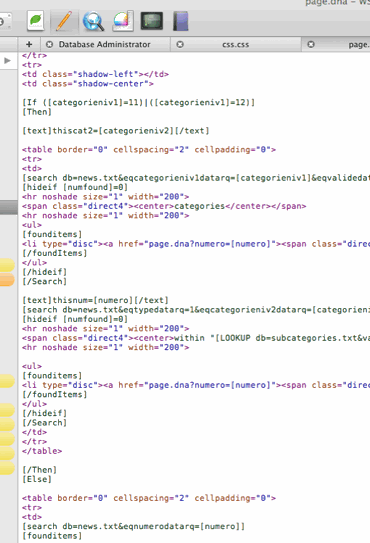
Now, you can start working; I use the classic html view, and the WebDNA code just appears in green:
| ||
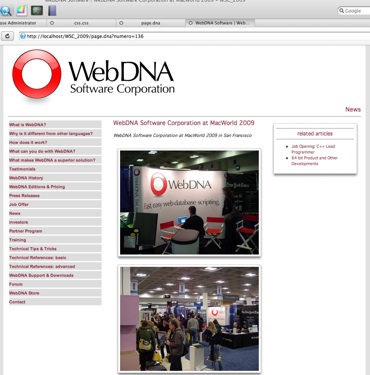
The control view shows your code interpreted by WebDNA
| ||
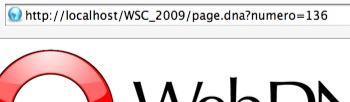
(note the site URL)
| ||
Christophe Billiottet
DOWNLOAD WEBDNA NOW!
Top Articles:
WebDNA reference...
Tips and TricksA list of user-submitted tips ...
AWS Raw WebDNA LAMP-Plus WebServerAmazon Web Services (AWS) README for Machine Image ID...
F.A.QA compilation of some user's questions...
WebDNA LibrariesA list of available libraries for WebDNA...
Technical Change HistoryThis Technical Change History provides a reverse chronological list of WebDNA changes...
Related Readings:
How to setup CODA to work with WebDNA?This page will show graphically how to setup CODA as a WebDNA partner :-)...
reCAPTCHA codereCAPTCHA helps prevent automated abuse of your site (such as comment spam or bogus registrations) by using a CAPTCHA to ensure that only humans perform certain actions...
PayPal gateway...
How many working days?This small script finds the number of working days between two dates...
How to keep the text variable after a function has finishedBy default...
Using a simple Array of Variables with [interpret]The [interpret] context is very powerful command in the hands of a skilled WebDNA programmer...